Skip to content


Ergonomics at Your Desk: A Physiotherapy Guide to Moving Beyond Perfect Posture
TLDR
There is no single “perfect posture” that prevents neck and back pain at a desk. Staying in any fixed position for too long, whether it looks correct or not, is what tends to drive discomfort. Frequent postural changes and small movements throughout the day are the practical foundation of workday pain prevention.
If you have ever caught yourself sitting up straighter at your desk, hoping that some perfect alignment would finally stop your neck from aching or your lower back from stiffening up, you are not alone in that thinking. It is one of the most common beliefs people carry into the clinic: “If I could just hold the right position, I would feel better.”
The reality is a little different, and honestly, a little more freeing. The problem is rarely one “bad” posture. It is staying still for too long, regardless of what that position looks like. Good desk ergonomics is not about achieving a rigid ideal. It is about building movement and variety into your day in ways that are practical, consistent, and suited to your body and your work.
This guide covers why static positions contribute to discomfort, what micro-movements are and why they work, how to set up your workspace to support variety rather than stillness, and when it is worth getting a physiotherapy assessment.
Is There Really a "Perfect Posture" You Need to Hold All Day?
No. Posture is not a fixed shape your body should lock into and maintain. Even a well-supported, upright seated position becomes uncomfortable and problematic when it is held without change for extended periods. Your muscles, joints, and connective tissues need load variation, not sustained stillness.
At Avenue Physio, clinicians hear a version of the same story regularly: “My posture has always been terrible, and that is why my back and neck hurt.” While how you position your body at a desk does matter, the contribution of any single posture to pain is often overstated. Slouching is not inherently damaging. Crossing your legs is not going to ruin your spine. Shifting your weight to one side is not something to feel anxious about.
What matters far more is how often you change positions. Your next posture is as important as your current one. When you think about ergonomics at your desk, a physiotherapy-informed perspective starts with understanding that adaptability is more valuable than perfection.
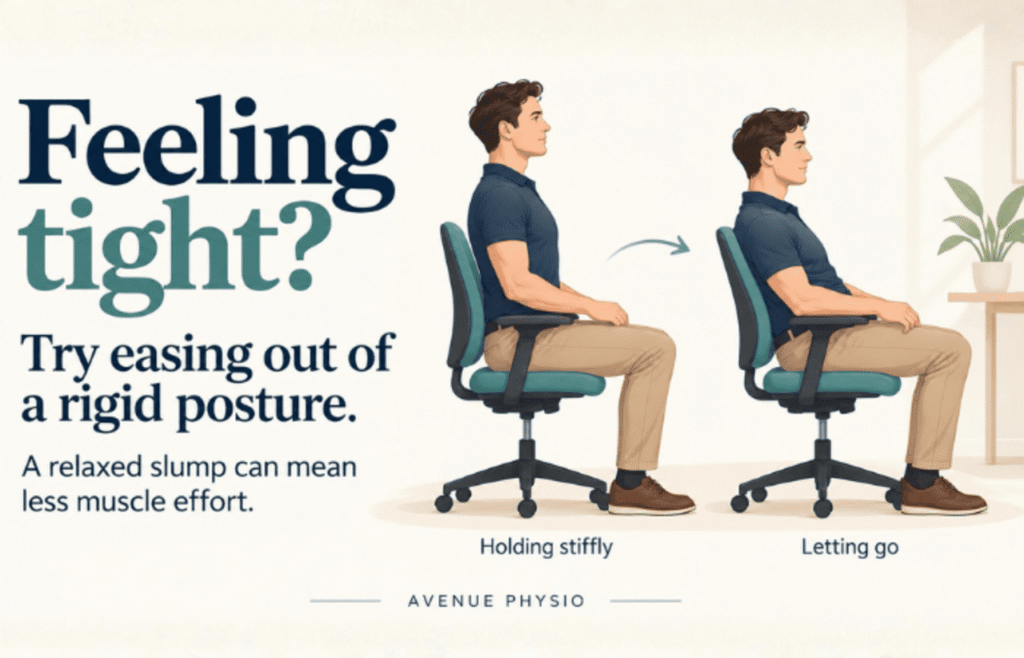
Could You Be Working Too Hard to Sit “Correctly”?
When your back or neck feels tight, it is natural to sit taller, pull your shoulders back or tighten your stomach muscles. But notice how much effort that takes. Are you sitting comfortably, or spending the day holding yourself in position?
Research by Peter O’Sullivan and colleagues helps explain why this matters. In a small laboratory study of 22 people without pain, they compared two upright sitting positions with slumped sitting. Several of the measured trunk muscles were less active in the slumped position, although the findings differed between muscles and between the two upright positions. Looking straighter did not mean the muscles were doing less work.
This does not establish slumping as the best position for everyone, or prove that it treats back pain. It does challenge the assumption that sitting more upright is always more restful.
O’Sullivan’s work on cognitive functional therapy also addresses unnecessary muscle guarding in people with persistent low back pain. Where holding the body stiffly contributes to symptoms, treatment may include learning to relax, breathe comfortably and move with less protective tension. The approach is tailored to the person rather than prescribing one posture for everyone.
At your desk, try a simple check: are you lifting your chest, pulling your shoulders back or bracing your abdomen when the task does not require it? Experiment with easing that effort, letting the chair support you and allowing your shoulders to settle. Notice whether this feels more comfortable.
If you feel tight, consider how hard you are holding yourself, not just what your posture looks like. Find positions that feel comfortable and easy to change, and keep movement in your day.
Why Do Static Positions Cause Neck, Back, and Shoulder Discomfort?
When you hold any one position for an extended stretch of time, the muscles and soft tissues supporting that position experience sustained load without relief. Over minutes and hours, this can lead to localized fatigue, reduced circulation to the tissues, and a build-up of sensitivity in the surrounding area.
Common patterns in desk workers include tension across the upper trapezius and the base of the neck, stiffness through the upper and mid back, a dull ache in the lower back, shoulder fatigue from sustained arm positioning, and irritation in the forearms or wrists from prolonged typing. These are familiar complaints for many office workers.
An important distinction: discomfort does not always mean damage. In most cases, it is a signal that your body wants movement, a change in position, or some variation in how it is being loaded. Research indexed by the National Institutes of Health supports the value of active breaks during long sitting periods in reducing musculoskeletal strain and fatigue.
Small changes, made consistently throughout the day, can meaningfully shift how your body feels by the time you log off. That is the foundation of addressing desk ergonomics for back and neck pain: it is about what you do repeatedly across the whole day, not one dramatic fix.
What Is Postural Variation and Why Does It Matter More Than Any Single Position?
Postural variation means regularly changing how your body is supported and loaded during your workday. Rather than finding one ideal position to hold all day, aim for a variety of comfortable positions that allow you to shift, relax and move.
In practice, this might mean sitting upright during focused writing, reclining slightly when reading, standing during a phone call, adjusting your foot placement or stepping away from your desk between tasks. Pay attention to effort as well as position: are you comfortable, or are you pulling your shoulders back, lifting your chest or bracing your stomach to sit “correctly”? Try easing that effort and letting your chair support you.
Ergonomic equipment, including adjustable chairs, monitor arms and sit-stand desks, can make these changes easier. Standing is another option to explore, rather than a position you need to maintain for hours. Staying in one position for a long time can contribute to discomfort, alongside muscle tension, work demands, stress, sleep and individual sensitivity.
The goal is a workspace that helps you sit and stand comfortably, change positions easily and include movement throughout your day.
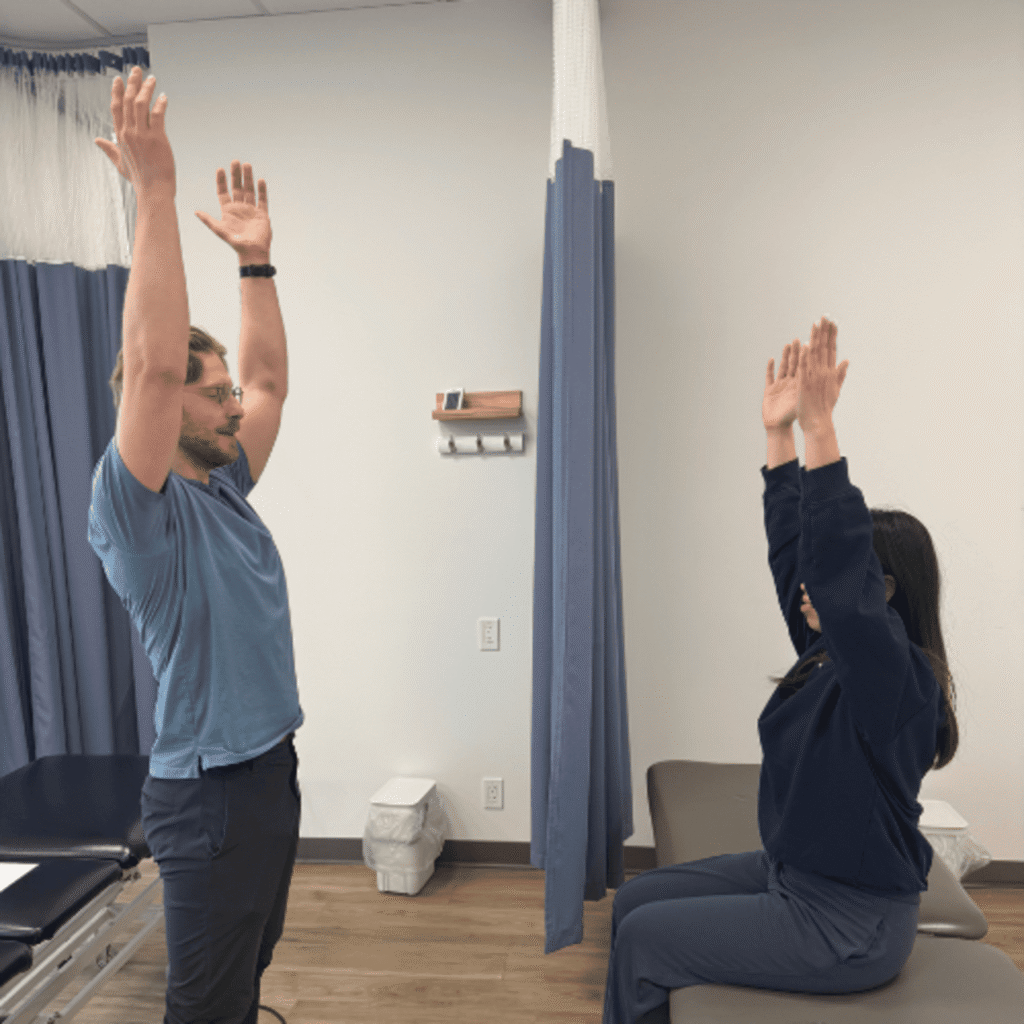
What Are Micro-Movements and How Often Should You Be Doing Them?
Micro-movements are brief, low-effort position changes that interrupt stillness without taking you away from your work for long. They are not a structured exercise routine. They are small physical interruptions to sustained loading that add up significantly over the course of a full workday.
Stanford University’s guidance on microbreaks supports building short movement pauses into desk work as an effective strategy for reducing physical strain. A useful starting rhythm is to change something every 20 to 30 minutes. The change does not need to be significant.
Practical examples of micro-movements for desk workers include:
- Shoulder rolls and gentle neck turns
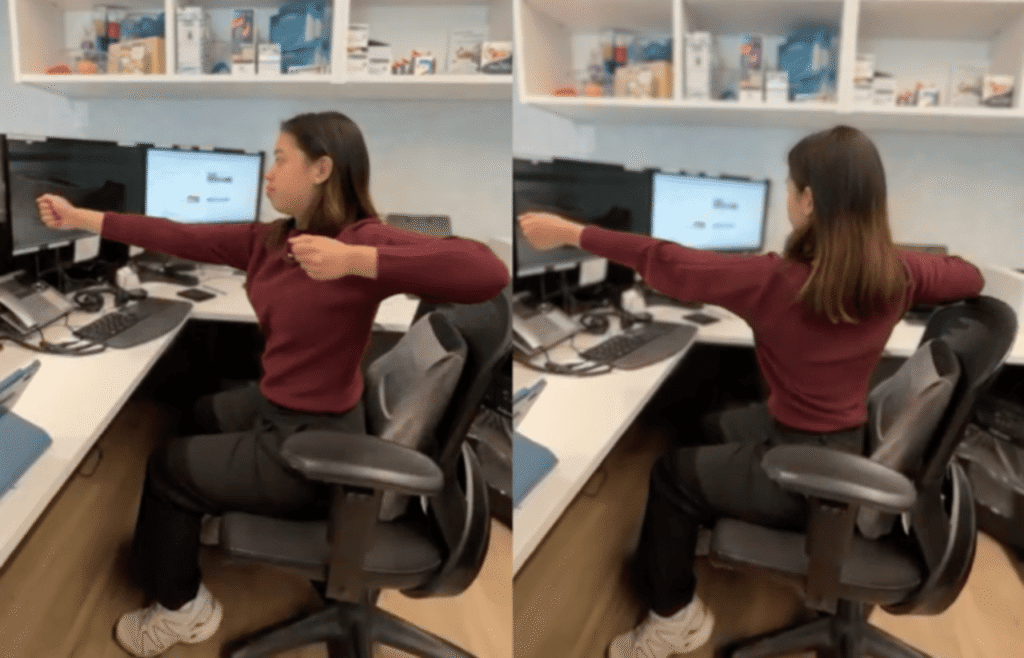
- Seated spinal rotations, turning your upper body gently side to side
- Ankle pumps and foot circles under the desk
- Opening and closing the hands, spreading the fingers wide
- Shifting your sitting position or adjusting your foot placement
- Standing up during phone calls or to review documents
- A short walk to the kitchen, bathroom, or a colleague’s desk
The key word is consistency. The goal is not intensity. Doing a few small movements every half hour will serve your body far better than a 10-minute stretch session once at lunchtime and then nothing else until the end of the day.
How Should You Set Up Your Desk to Support Movement?
A practical desk setup reduces unnecessary strain while still giving your body room to shift and vary its position. The Mayo Clinic’s guidance on workstation setup offers a useful general framework for arranging your workspace comfortably.
The following principles apply to most work environments, though a physiotherapist can help adapt them for your specific body proportions, symptoms, and job demands.
Workspace Element | General Principle |
Monitor height | Top of the screen close to eye level so your head sits balanced rather than tilted forward or down |
Chair height | Adjusted so your feet rest comfortably on the floor or a footrest, with hips and knees at a comfortable angle |
Keyboard and mouse | Close enough that your shoulders stay relaxed and your elbows bend comfortably near your sides |
Frequently used items | Within easy reach to avoid repeated reaching or twisting |
Laptop setup | An external keyboard, mouse, or laptop stand significantly reduces sustained neck flexion |
If you work from a home office, a shared workspace, or rotate between environments, the principles remain the same even if the setup changes. Focus on what you are able to control and build movement into whatever space you are in.
When Does Desk Discomfort Need More Than Ergonomic Adjustments?
If discomfort keeps returning despite regular position changes and a reasonable setup, there are likely other factors worth exploring. Ergonomic adjustments address the load on your body from the outside. Physiotherapy looks at what is happening from the inside as well.
Contributing factors often include strength or endurance deficits in the neck, shoulder, or trunk muscles, previous injuries that have altered how you move and load your body, high workload or stress affecting muscle tension and sleep quality, repetitive task demands specific to your role, and in some cases, a nervous system that has become more sensitive after a period of persistent pain.
Physiotherapy at Avenue Physio involves a thorough assessment of your movement, strength, work habits, and symptom patterns. From there, a practical plan is built around your specific situation. Depending on what is found, care often includes education about what is contributing to your pain, targeted strengthening or mobility work, manual therapy when appropriate, and strategies for managing your workday more effectively. Many people notice meaningful improvement in how they feel across the workday once the key drivers are identified and addressed.
If desk-related pain is limiting your sleep, your exercise, your concentration at work, or activities you care about outside the office, that is a reasonable point to seek an assessment.
Key Takeaways
- No single posture prevents pain. Staying in one position for a long time can contribute to discomfort, alongside muscle tension, work demands, stress, sleep and individual sensitivity.
- Postural variation is the goal. Cycling through different positions throughout the day reduces sustained load on muscles, joints, and soft tissues.
- Changing position every 20 to 30 minutes is a practical starting point. Even small shifts like ankle pumps, shoulder rolls, or standing during a phone call make a meaningful difference over a full workday.
- Ergonomic equipment supports movement but does not replace it. A standing desk or ergonomic chair is only useful if you are actively changing positions rather than staying still in a new location.
- Desk discomfort is not always about posture. Strength, previous injuries, sleep, stress, and task demands all play a role and may need to be addressed alongside a workstation setup review.
- Physiotherapy addresses the whole picture, not just the setup. An assessment looks at how you move, how your body is loaded, and what is specifically driving your symptoms.
Ready to Feel Better at Your Desk?
If your setup looks reasonable but your body still feels stiff, sore, or worn down by the end of the day, the answer is not to sit up straighter and push through. There is often something specific driving the discomfort that a few targeted changes can address.
Avenue Physio is located in downtown Calgary at 225 7th Avenue Southwest, Suite 130. Our physiotherapists take the time to understand your full picture, your work setup, your movement habits, your history, and your goals, and build a practical plan from there. The aim is not perfect posture. It is helping you move with more comfort, confidence, and ease throughout your entire day.
Book an assessment and find out what is actually contributing to your discomfort.
Frequently Asked Questions
How often should I change position at work?
A good starting point is to change something about your position every 20 to 30 minutes. That shift does not need to be a full workout. Standing up, rolling your shoulders, moving your neck through a comfortable range, shifting how your feet are placed, or walking briefly to another part of your workspace all count. Consistency across the full day matters more than any single change you make.
Is sitting with "bad posture" causing my pain?
Not necessarily. Pain at a desk is influenced by many factors: how long you stay in one position, workload and stress levels, sleep quality, muscle strength, and previous injuries. Rather than worrying about whether your posture looks correct, focus on how frequently you are moving and changing positions across the day. That tends to have a bigger influence on how you feel.
Do I need a standing desk to address desk-related back or neck pain?
A standing desk is one useful tool, but it is not essential and not a complete solution. Standing still for several hours creates similar issues to sitting still for several hours. The value of a sit-stand desk comes from using it to alternate between positions regularly. If you do not have one, building movement into a standard desk setup through micro-movements and position changes achieves the same core principle.